HuggingFace
Promptfoo includes support for HuggingFace's OpenAI-compatible chat API, Inference Providers, and Datasets.
To run a model, specify the task type and model name. Supported task types include:
huggingface:chat:<model name>- Recommended for LLM chat modelshuggingface:text-generation:<model name>- Text generation (Inference API)huggingface:text-classification:<model name>huggingface:token-classification:<model name>huggingface:feature-extraction:<model name>huggingface:sentence-similarity:<model name>
Chat models (recommended)
For LLM chat models, use the huggingface:chat provider which connects to HuggingFace's OpenAI-compatible /v1/chat/completions endpoint:
providers:
  - id: huggingface:chat:deepseek-ai/DeepSeek-R1
    config:
      temperature: 0.7
      max_new_tokens: 1000

  - id: huggingface:chat:openai/gpt-oss-120b

  - id: huggingface:chat:Qwen/Qwen2.5-Coder-32B-Instruct

  - id: huggingface:chat:meta-llama/Llama-3.3-70B-Instruct
This provider extends the OpenAI provider and supports OpenAI-compatible features including:
- Proper message formatting
- Tool/function calling (model-dependent)
- Streaming (model-dependent)
- Token counting (when returned by the provider)
Browse available chat models at huggingface.co/models?other=conversational.
Inference Provider routing
HuggingFace routes requests through different Inference Providers (Cerebras, Together, Fireworks AI, etc.). Some models require specifying a provider explicitly.
You can select a provider using a :provider suffix on the model name or via the inferenceProvider config option:
providers:
  # Provider suffix in model name
  - id: huggingface:chat:Qwen/QwQ-32B:featherless-ai

  # Or via config option
  - id: huggingface:chat:Qwen/QwQ-32B
    config:
      inferenceProvider: featherless-ai
If both are specified, the :provider suffix in the model name takes precedence over inferenceProvider in config.
You can also use fastest or cheapest as smart selectors:
providers:
  - id: huggingface:chat:meta-llama/Llama-3.3-70B-Instruct:fastest
Available models and providers change over time. To find which providers currently support a model, check the model page on HuggingFace or query the API:
curl https://huggingface.co/api/models/MODEL_ID?expand[]=inferenceProviderMapping
The huggingface:text-generation provider also supports chat completion format when configured with an OpenAI-compatible endpoint (see Backward Compatibility).
Inference API tasks
The HuggingFace serverless inference API (hf-inference) focuses primarily on CPU inference tasks like text classification, embeddings, and NER. For LLM text generation, use the chat provider above.
Browse available models at huggingface.co/models?inference_provider=hf-inference.
Examples
Text classification for sentiment analysis:
huggingface:text-classification:cardiffnlp/twitter-roberta-base-sentiment-latest
Prompt injection detection:
huggingface:text-classification:protectai/deberta-v3-base-prompt-injection
Named entity recognition:
huggingface:token-classification:dslim/bert-base-NER
Embeddings with sentence-transformers:
# Sentence similarity
huggingface:sentence-similarity:sentence-transformers/all-MiniLM-L6-v2

# Feature extraction for embeddings
huggingface:feature-extraction:BAAI/bge-small-en-v1.5
Configuration
These common HuggingFace config parameters are supported:
| Parameter | Type | Description |
|---|---|---|
top_k | number | Controls diversity via the top-k sampling strategy. |
top_p | number | Controls diversity via nucleus sampling. |
temperature | number | Controls randomness in generation. |
repetition_penalty | number | Penalty for repetition. |
max_new_tokens | number | The maximum number of new tokens to generate. |
max_time | number | The maximum time in seconds model has to respond. |
return_full_text | boolean | Whether to return the full text or just new text. |
num_return_sequences | number | The number of sequences to return. |
do_sample | boolean | Whether to sample the output. |
use_cache | boolean | Whether to use caching. |
wait_for_model | boolean | Whether to wait for the model to be ready. This is useful to work around the "model is currently loading" error |
Additionally, any other keys on the config object are passed through directly to HuggingFace. Be sure to check the specific parameters supported by the model you're using.
The provider also supports these built-in promptfoo parameters:
| Parameter | Type | Description |
|---|---|---|
apiKey | string | Your HuggingFace API key. |
apiEndpoint | string | Custom API endpoint for the model. |
inferenceProvider | string | Route to a specific Inference Provider by name. |
Supported environment variables:
HF_TOKEN- your HuggingFace API token (recommended)HF_API_TOKEN- alternative name for your HuggingFace API token
The provider can pass through configuration parameters to the API. See HuggingFace Inference API documentation for task-specific parameters.
Here's an example of how this provider might appear in your promptfoo config:
providers:
  - id: huggingface:text-classification:cardiffnlp/twitter-roberta-base-sentiment-latest
Using as an assertion for prompt injection detection:
tests:
  - vars:
      input: 'Hello, how are you?'
    assert:
      - type: classifier
        provider: huggingface:text-classification:protectai/deberta-v3-base-prompt-injection
        value: SAFE
        threshold: 0.9
Backward compatibility
The huggingface:text-generation provider auto-detects when to use chat completion format based on the endpoint URL. If your apiEndpoint contains /v1/chat, it will automatically use the OpenAI-compatible format:
providers:
  # Auto-detects chat completion format from URL
  - id: huggingface:text-generation:meta-llama/Llama-3.1-8B-Instruct
    config:
      apiEndpoint: https://router.huggingface.co/v1/chat/completions

  # Explicit chatCompletion flag (optional)
  - id: huggingface:text-generation:my-model
    config:
      apiEndpoint: https://my-custom-endpoint.com/api
      chatCompletion: true # Force chat completion format
You can also explicitly disable chat completion format with chatCompletion: false even for /v1/chat endpoints.
Inference endpoints
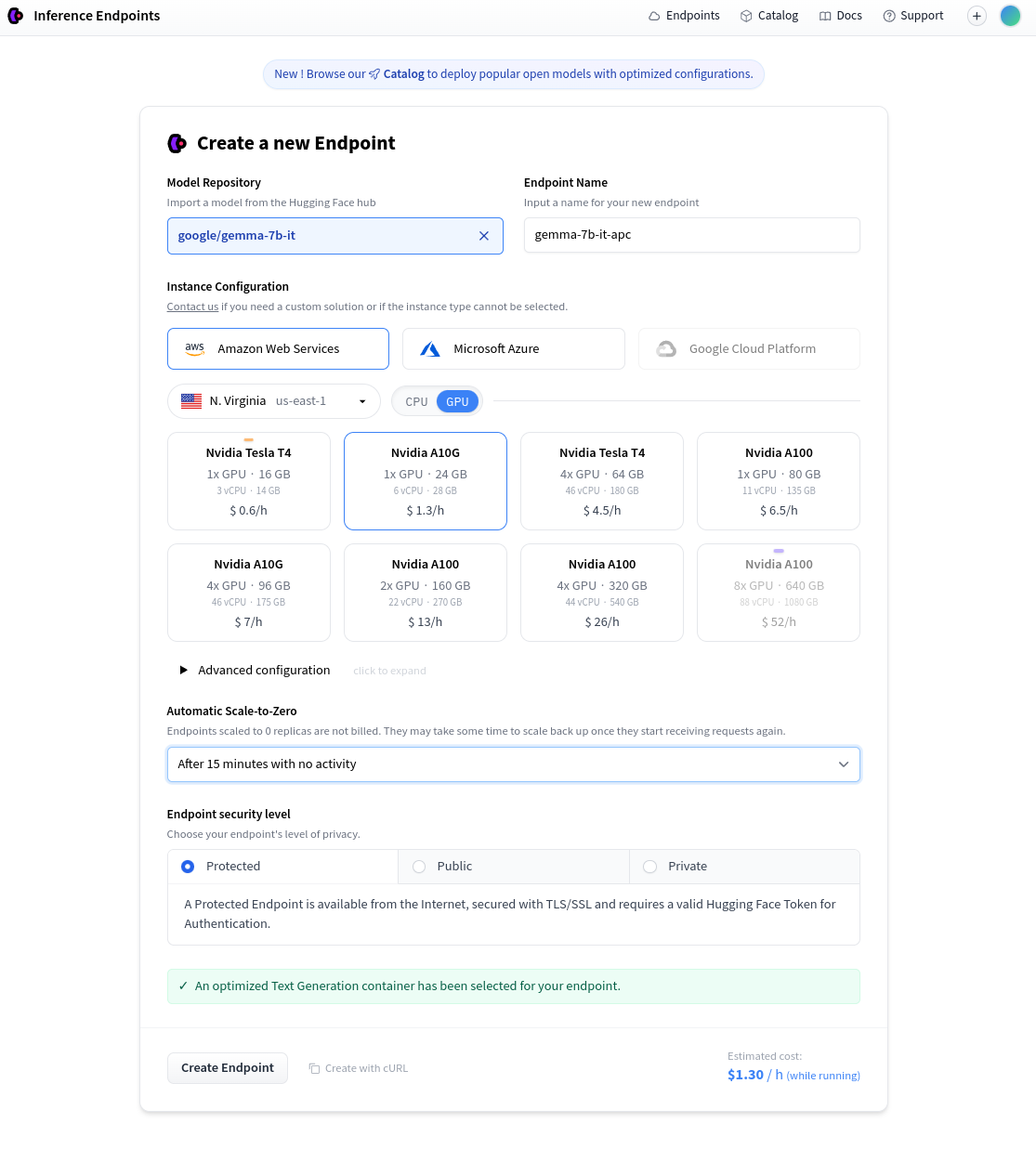
HuggingFace provides the ability to pay for private hosted inference endpoints. First, go the Create a new Endpoint and select a model and hosting setup.
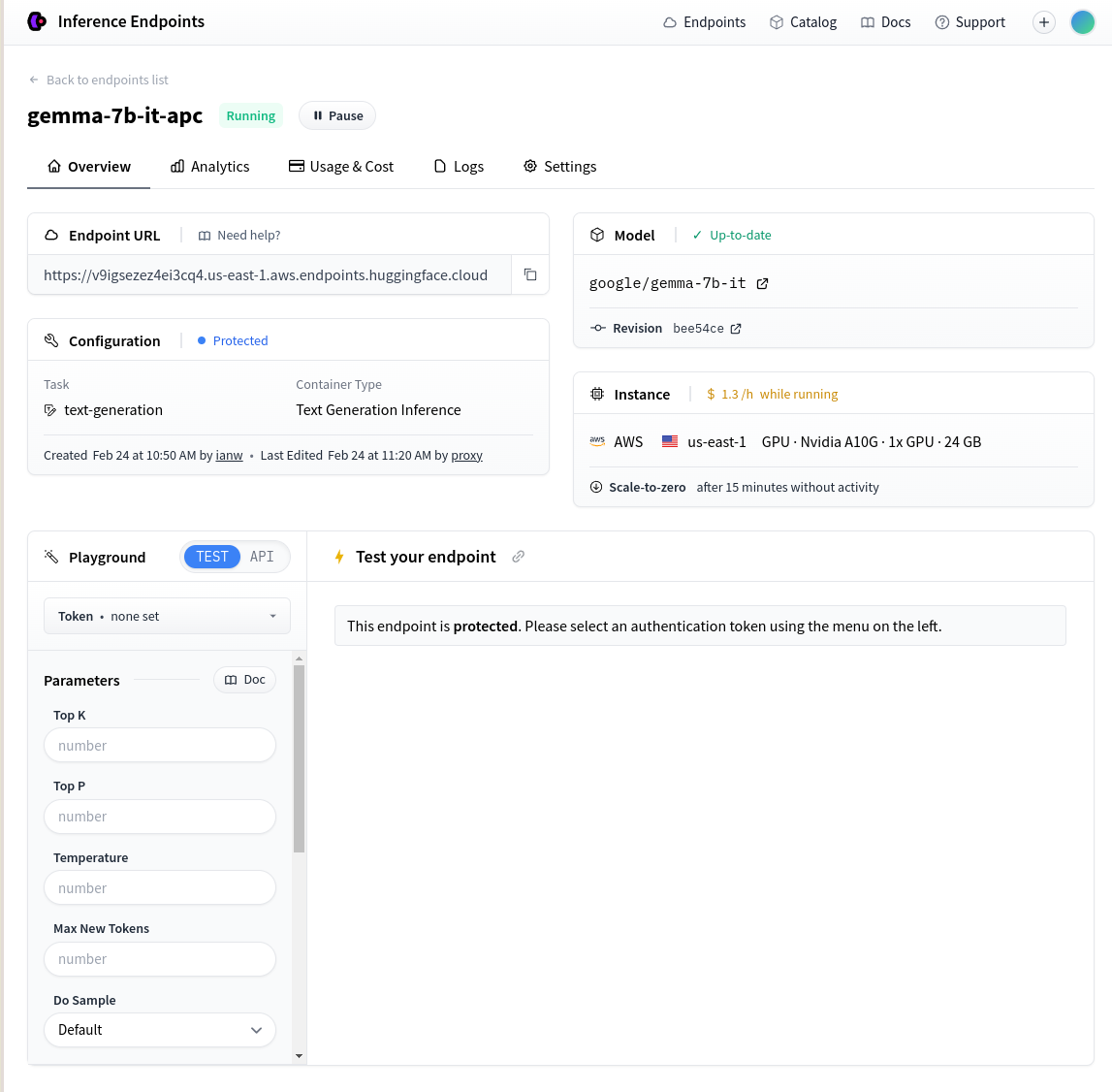
Once the endpoint is created, take the Endpoint URL shown on the page:
Then set up your promptfoo config like this:
description: 'HF private inference endpoint'

prompts:
  - 'Write a tweet about {{topic}}:'

providers:
  - id: huggingface:text-generation:gemma-7b-it
    config:
      apiEndpoint: https://v9igsezez4ei3cq4.us-east-1.aws.endpoints.huggingface.cloud
      # apiKey: abc123   # Or set HF_API_TOKEN environment variable

tests:
  - vars:
      topic: bananas
  - vars:
      topic: potatoes
Local inference
If you're running the Huggingface Text Generation Inference server locally, override the apiEndpoint:
providers:
  - id: huggingface:text-generation:my-local-model
    config:
      apiEndpoint: http://127.0.0.1:8080/generate
Authentication
If you need to access private datasets or want to increase your rate limits, you can authenticate using your HuggingFace token. Set the HF_TOKEN environment variable with your token:
export HF_TOKEN=your_token_here
Datasets
Promptfoo can import test cases directly from HuggingFace datasets. See Loading Test Cases from HuggingFace Datasets for examples and query parameter details.